
In this article, we'll list the best Premiere Pro templates to help you produce amazing Instagram stories.




Browse through these free Instagram Story templates for Premiere Pro. Keep your costs low and produce a truly professional Instagram Story video.
Premium Premiere Pro Templates
Thanks to Envato Elements, you can keep your costs under control and source all the best video templates for Premiere Pro. For video producers, one subscription unlocks thousands of photos, music, video clips, fonts, and graphics templates.
Here are a few of our favorite Instagram Story templates that you can download from Envato Elements.
Featured Premiere Pro Template From Envato Elements
This stylish set of Instagram Story templates for Adobe Premiere Pro gives a lot of variety, including three versions with five, four, or three stories. You can easily mix and match the text animations with graphics and your footage or photos to make Stories videos quickly. 100% Premiere Pro graphics and animations, no After Effects needed.
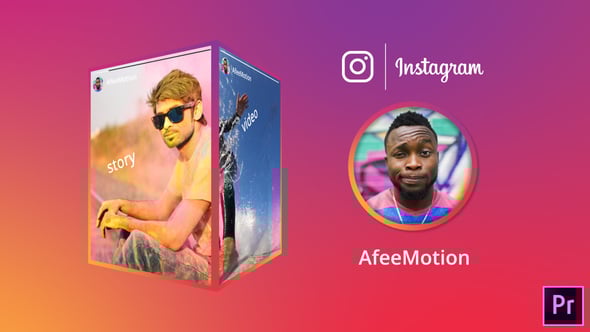


There’s nothing understated about these “stomps.” They’re designed to stop your audience from swiping onto the next story. Type over the text animations to add a bit of information without creating the motion from scratch.
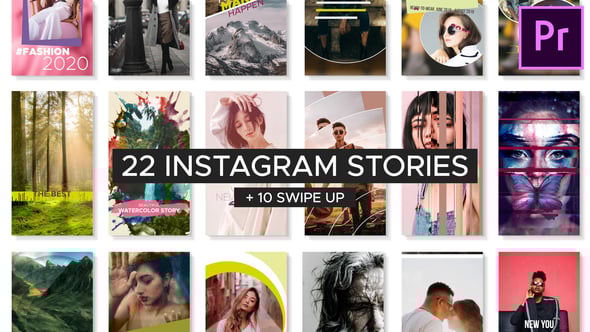
Versatile enough for a variety of purposes, these templates are as fresh as the name implies. You’ve got 22 separate styles to play with, including ten “swipe up” options that help redirect your audience to a page.
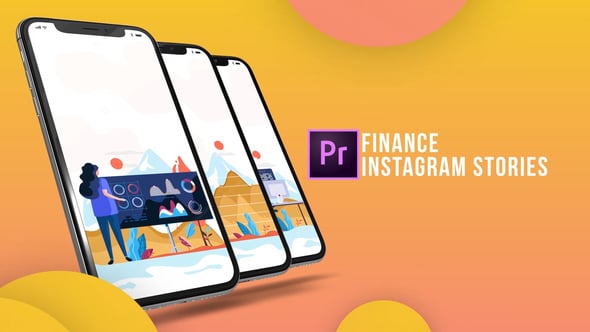
Finance is always changing, and with the emergence of free stock trades, everyone wants a piece of the exciting world of finance. Use this template to explain a concept and promote your investment ideas.

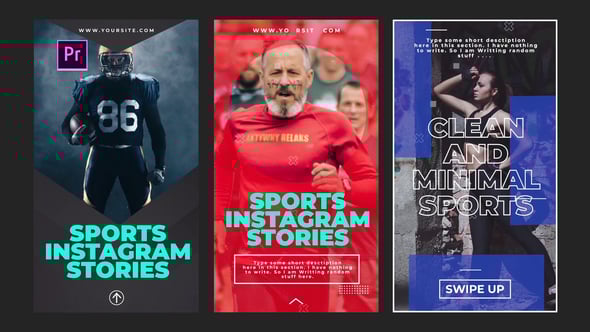
The world of sports has a massive following on Instagram. No matter what league or sport you promote, this template is a great way to bring the excitement of the world’s greatest athletes to your next Instagram Story.
45 Free Instagram Story Templates for Premiere Pro From Mixkit
With the help of Mixkit, you can source totally free Instagram Story templates for Premiere Pro. Let’s look at 45 of their free-of-charge Instagram Story templates.
Shapes in motion do the heavy lifting in this easy-to-customize free Premiere Pro Instagram Story template.
Ideal for travel accounts, this Instagram Story template for Premiere Pro is free and has a nice mix of text and space for your visuals (like photos and footage.) Use this to promote your trip and grow your audience.
The best Instagram Story templates are easy to work with. This template fits the mold because it’s a breeze to just add these sale “stickers” on top of your content.
The name says it all! It’s a very simple text animation with the option to encourage the user to “swipe up.” This is a high-quality option for a Premiere Pro Instagram Story template that’s free.
Quick animated text helps your viewer cut to the chase. Frame your content easily with this Premiere Pro Instagram Story template available for free.
Extra, extra — read all about it! The focus of this template is on a headline, and that makes it ideal for a news update.
Quotes are sure to inspire. Use this free Premiere Pro Instagram Story template to provide your favorite saying without obstructing the rest of the canvas.
Here’s another option for a quote-focused video. It uses a simple mask like a peephole to your footage behind the main layer. It’s a great-looking Instagram Story template for Premiere Pro.
Animated borders surround your text with understated text behind it.
It’s amazing how much focus simple shapes can bring when they’re set in motion. Use this template to garner attention.
Bold animation and simple shapes are the recipe for this marketing Premiere Pro Instagram template that’s free.
This free Premiere Pro Instagram Story template is a nice combination of attention on footage (with a photo overlay) plus text.
You won’t need to open Photoshop to add a vintage element to your Instagram Story. This template does the work, and all you need is a photo or video clip.
Ideal for a minimal promotion, a simple paper fold effect won’t distract from the text of your choice.
Quickly make promos with this free Instagram Story template for Premiere Pro. Text in motion works in harmony with your footage to introduce an offer.
Here’s another great option to focus on an impactful quote. It features just enough motion to stand out.
This angled banner leaves you room for a quote or even a way to introduce your upcoming sale, for example.
Mix motion borders with your text to create an Instagram Story in Premiere Pro.
This Premiere Pro Instagram Story template leaves plenty of room to drop in your video footage. Use the available text space for a bit of explanation or promotion.
This template has plenty of text boxes to show the details of your upcoming sale or promotion.
Use your headline with the animated video opener for a professional Instagram Story.
The overlay is subtle, so your audience won’t be distracted from the footage you worked hard to capture.
Some Instagram Story templates are born to stand out. Use this bold option with a swipe up feature.
This free Premiere Pro Instagram Story template features healthy use of white space so that it’s easy to read. Use a bit of text with a short clip for a great story.
Here’s a funky liquid shape effect that won’t go unnoticed. Use it for a punchy promo.
Use the vertical text boxes and easy overlays for your marketing campaign.
This Premiere Pro Instagram Story template gives you three heading rows to provide details and a sales pitch.
Simple is the name of the game here. Use the always-popular gradient effect to stop your viewers from swiping to the next clip.
Here’s another shape-based template for your next marketing pitch. Use the button to create a call to action.
It’s ideal to use contrasting designs to stand out from the rest of the stories in your user’s timeline. This is a dark and moody effect that’s perfect for the purpose.
If you want a quote to be the focus of your story, this is the perfect Instagram Story template for you. The color controls make it easy to adapt to your brand.
This free Premiere Pro Instagram Story template is a great reminder of the “less is more” principle.
Your product takes center stage with the help of this template. It works well with a product image on a transparent background layer.
You’ll need a focused marketing effort to make your event succeed. This is the right Instagram Story template for the occasion.
This free Premiere Pro Instagram Story template feels hand-painted, but it’s totally customizable. Just type over the placeholder for your sketched look.
This neat effect uses a photo frame and filter effects to draw your audience’s focus.
Use the easy text box template with an ink splash effect.
Maybe the focus of your marketing campaign is to offer a killer price. Show those discounts with this free Premiere Pro Instagram Story template.
Put your quotation on the move with this spinning text template.
There’s truly a template for everything. This glitchy and flowery effect is impossible to simply scroll past.
Your text will fall right into the viewer’s screen with the help of this free Adobe Premiere Instagram Story template.
This Premiere Pro Instagram Story template is free and focuses on the text. It’s really the perfect option to promote an event with a straightforward message.
Here’s another great option to introduce an inspiring quote with just a few clicks.
If the focus of your marketing campaign is a hashtag, this is the perfect template for you. Use this video to encourage your audience to share those hashtags.
Rounding out our selection of Instagram Story templates for Premiere Pro, this free option uses a headline in motion to promote a product and exceptional pricing.
5 Quick Instagram Story Video Template Tips (For Instagram Reels)
We’ve looked at some of the best Instagram Story video template designs, and we’ve explored dozens of the best free video templates. These help you build amazing Instagram stories of your own. But to boost your popularity online, it pays to embrace the latest and greatest design tips. Here are five to help you succeed:
1. Be Focused and Specific
A Premiere Pro Instagram reels template helps you present content on mobile devices in style. But with thousands of templates to choose from, it can be hard to decide. Since you have ample options, it pays to choose something specific.

In other words, don’t always use generic templates. Try to find video templates with themed designs. They’ll help you share your message with the world while serving up plenty of design inspiration.
2. Refine Audio Volume for Sharing
When you share video templates for Instagram Reels, it’s easy to forget the audio. But remember: sound is an integral part of any successful video. At the same time, you don’t want to blast deafening audio from your viewers’ mobile devices.
Fortunately, Premiere Pro makes it easy to edit and adjust the track volume of your projects. This helps them look and sound their best, with modulated audio that sounds great.
Learn how with our quick tutorial:
3. Embrace Retro Styling
When you choose an Instagram video story template, it’s tempting to always go “modern”, but you should always consider retro design options. They never go out of style, and they help you stand out from the vast array of content shared online.

Next time you share an Instagram Story, opt for a retro Instagram Story video template. When you do, you’ll wow your audience. They’re easy to work with, and they add a dash of old-school elegance to any social media post.
4. Tailor Clips for Mobile Sharing
It’s a great idea to share content on Instagram, but you can’t lose sight of a fundamental truth: attention spans online are short. If you share a long video with a Premiere Pro Instagram Reel template, you’ll likely lose viewers. The trick is to keep your video clips bite-sized.
Fortunately, it’s amazingly easy to trim clips in Premiere Pro. You can do this with your favorite free Instagram Story templates and premium designs alike. Learn how to do it in this tutorial.
5. Opt for Bold, Readable Text
Never forget: Instagram is a mobile app. That means it’s commonly viewed on devices with small screens. If you choose video templates for Instagram Reels with fine print, you’ll end up sharing Stories that are hard to read.

That’s why it pays to choose designs with bold and readable text. Try and keep words to a minimum. And when you share text, use large print that’s understandable at a glance.
More Video Resources From Envato
Here are even more great resources from Envato to help you make better video projects, faster.
Read Our Video Marketing Guide
We’ve put together a comprehensive guide that will help you become a pro video marketer. You’ll learn all of the tips and tricks that pros use. Whether you’re a beginner or pro, you’re sure to pick up skills that make you a more effective marketer.

Download Free Video Footage From Mixkit
On Mixkit, you can tap into royalty-free stock video footage that you can use with no strings attached. It’s a great way to keep your budget in check while producing a video. Check out the library to source videos for your next marketing effort.
Envato Elements: Unlimited Downloads
Envato Elements offers millions of stock items: photos, music, video clips, fonts, video project templates for After Effects, Premiere Pro, Final Cut Pro and Motion, and creative courses from Envato Tuts+, all with a single subscription: Download as many items as you want for one low monthly price.

More Resources From Envato to Help Market on Instagram
Let’s check out even more Instagram templates that you can use to market to your audience:
Download Your Instagram Video Story Template Now
Ready to make an impact on Instagram? You’ve seen top Premiere Pro templates for the job. Use these video templates for free options when budget is your focus. Or lean on premium Instagram Reels templates for Premiere Pro for the very best designs.
Now, it’s your turn. Download a premium Instagram video story template for immediate, impactful action. You’re sure to increase your following and grab the audience’s attention.


