
Want to create better videos faster? Get a sneak preview of Envato’s new extension for Premiere Pro!


Thanks for using our Extensions! As of 21st August 2025, they are no longer active as we shift focus to powerful new AI tools like VideoGen, ImageGen, and MusicGen.
In an era where content creation has become more dynamic and demanding than ever before, staying ahead of the curve is essential for video creators. Enter Envato’s new extension for Premiere Pro: an innovative tool designed to enhance and streamline your video editing workflow.
Now currently in beta, Envato’s Premiere Pro extension seamlessly integrates everything from AI-assisted search to streamlined downloads into your video editing process – plus, it’s free! The extension also enables you to access all the sound effects, stock videos & royalty-free music from the Envato Elements library without leaving Premiere Pro.
“The extension boasts an AI-powered search feature that analyzes a single frame from a clip in your project and recommends related assets from the vast Envato Elements library,” says Sebastian Navarro from Free Visuals. “It’s like having a personal assistant that understands your creative vision.”

Ready to delve into the future of video editing? Let’s explore some of the features of this game-changing new extension set to elevate your video-editing game.
Download and Search for Items in Premiere Pro

Gone are the days of endlessly switching between applications. With the Envato extension for Adobe Premiere Pro, you can now seamlessly search and download premium sound effects, music, and stock videos within Premiere Pro.
AI-Assisted Search
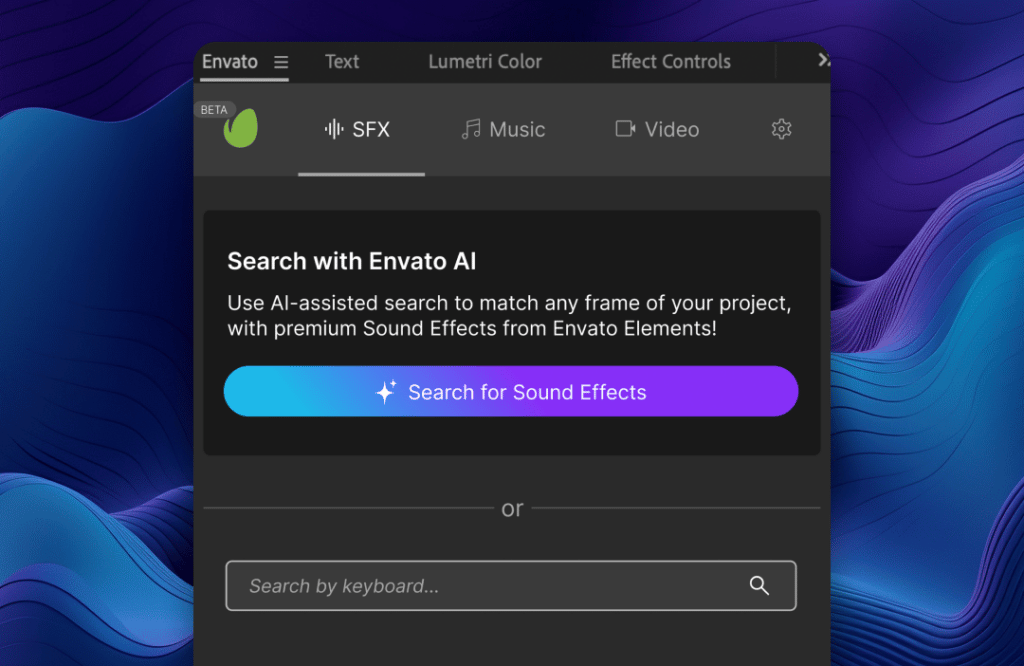
Our AI-powered search feature within the extension makes finding what you’re looking for easier than ever. With advanced AI magic that analyzes a single frame from a clip in your current project, the extension recommends related assets from the vast Envato Elements library, helping you save time and discover new creative possibilities. One of the coolest things about the AI features in this extension is that it works with any clip (it could be a clip you created, a client supplied, or something you’ve downloaded in the past.)
Classic Keyword Search
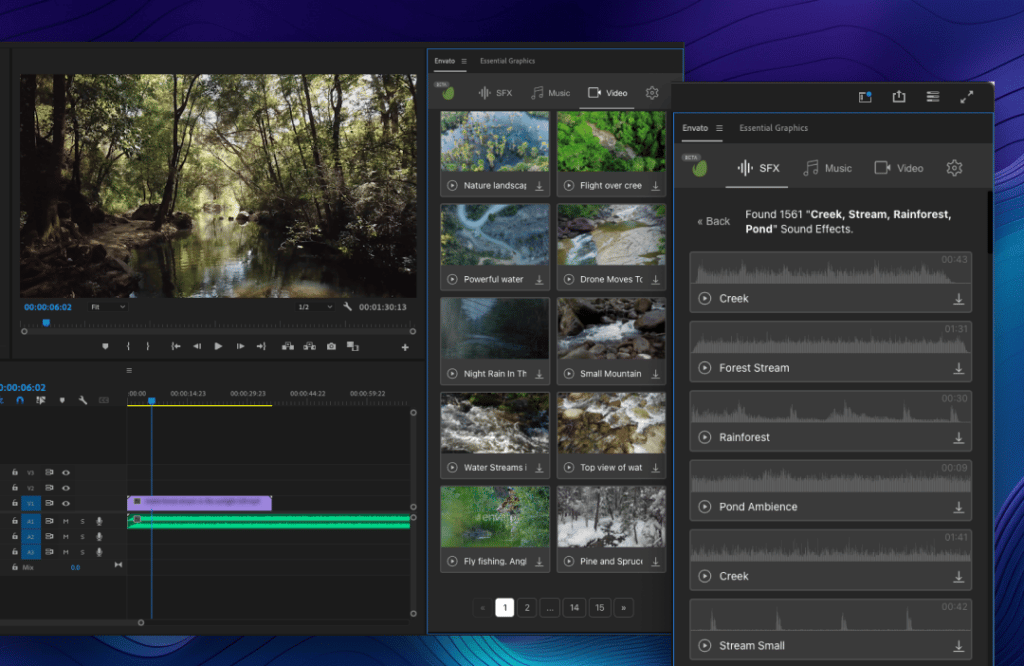
The extension also offers a keyword search function for those who prefer the classic search experience. Simply enter relevant keywords, and you’ll have a wide range of assets to choose from. This feature gives you complete control over your search, ensuring you find the exact assets that fit your project’s needs.
Choose Where to Save Your Assets
We know how important organization is for video creators – that’s why you can choose where to save your downloaded assets from the extension. Additionally, if you select an item containing multiple assets, we make it easy to select just the asset you need (e.g., music track or without vocals).
Browse Without an Envato Elements Subscription
You can still browse assets without an Envato Elements subscription to test your project’s tracks, footage, and sound effects. However, a paid subscription to Envato Elements is required for seamless access to premium assets. Once you’ve connected your paid subscription, downloads from the extension will appear in your “my downloads” section, and authors will earn just as they would via the Envato Elements shopfront.
How to Install Envato’s Premiere Pro Extension
Ready to perfect your video-editing process? Here’s how to download and install the beta version of Envato’s Premiere Pro Extension.
Search “Envato” on the Adobe Exchange directory
The Envato Elements plugin will be hosted in the official Adobe Exchange plugin directory accessible via the Adobe Creative Cloud. Simply search for “Envato” or filter for Premiere Pro extensions in the Plugins tab.
How to Install and Use the Extension
Once you’ve installed the extension from the Adobe Exchange plugin directory, it’s simple to get up and running:
- Launch Premiere Pro and follow the menus: Window > Extensions > Envato
- Accept the Terms & Conditions
- Connect your Envato Elements account if you are a paid subscriber
- Select the settings menu to change where you want to save your downloads
- Try out the AI-assisted search or classic keyword search to find the assets for SFX, music, or video
- Download and import assets directly into your project!
Try Envato’s Premiere Pro Extension Today!
Want to create better videos faster? Install Envato’s Premiere Pro Extension now for free! Please visit the Envato help centre article for trouble shooting tips and to submit your feedback via the form.


