
Adobe After Effects is a powerful motion graphics program allowing you to create and animate amazing things. In this tutorial you'll learn how animate text to create your own lyric videos in After Effects, as well as some pointers to help you along the way.


Adobe After Effects is a powerful motion graphics program allowing you to create and animate amazing things. That being said, it can also be pretty complicated, with endless possibilities and levels of complexity. In this tutorial you’ll learn how animate text to create your own lyric videos in After Effects, as well as some pointers to help you along the way.
What You Need to Make a Lyric Video in After Effects
David Bode has put together this excellent free course teaching the basics on After Effects, with tonnes of detailed instructions. The lessons you need to learn how to make a lyric video are on keyframes (lesson 4), text (lesson 5) and motion tracking (lesson 7).
Here is the course video in full:
How to Make a Lyric Video From Scratch in After Effects
In this tutorial, Markus Gustafsson takes you step by step through how to create animated typography video synchronized with musical events (lyrics). You’ll learn how to fit your typography to a rhythm, add dynamic animations and use the camera and motion blur to create a high-end final effect: Rhythmic Motion Typography in After Effects.
How to Customize a Motion Graphics Template in After Effects
Every template is different, but they are all designed for user friendliness. Below is a another lesson from David Bode, editing the Motion Type Text template and building a basic graphic from scratch that you can easily follow along with. In this video he will take you through the process of selecting your template, installing it and most importantly, customizing your After Effects title template quickly and easily.
You Can Make Lyric Videos Without Becoming an After Effects Expert
Creating animations from scratch is rewarding, but it’s not the only way to get your project finished. Templates are a reliable solution to speed up your workflow, allowing you to accomplish your vision, whether you are just starting outor aseasoned pro.
Envato Elements can help you save time while improving the quality of your final projects; a monthly or annual subscription gains you access to a large library of tools, like courses here on Tuts+, and a giant catalogue of video templates, stock video, and music. All these help keep your workflow moving efficiently and the quality of your work top-notch.
Let’s take a look at a couple of templates for After Effects that are perfect for your lyric video.

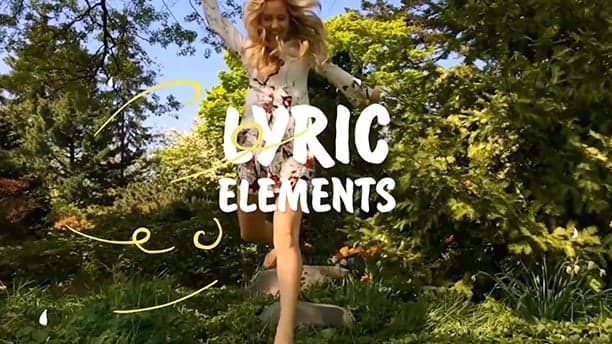
Fun and lively 2D hand-drawn animations with the amazing ability to combine elements so you can create your own original titles.

Looking for a unique animated font to create your own lyrics video? Look no further! With the help of this great new animated font, you can easily design your own. Simply drag and drop the provided compositions to your video, then easily change the timing.

With three styles of text animations: glitch, digital, and modern, Motion Type Text offers lots to those looking for something bold—and elegant. An included beautiful particle background ties this great template together. You’ll be able to use these features to add a simple but stylish flair to your video.
Helpful Tips for Using Templates
Templates are great as a starting point, but make sure to play around and tweak parameters to suit the tone of your project, creating something new and your own. If it’s your first time using a template, start with a template that doesn’t require plug-ins. You’ll find that with small steps you’ll be getting the hang of it.
Many template downloads come with a tutorial. It’s fun to jump in head first and figure things out on your own, but watching the tutorials will save you time.
If you’re using many different templates across different projects, remember to be organized and keep them in relevant, well-labelled folders. If not, you’ll find yourself in an uncomfortable, disorganized situation later on.
Before jumping in to your project, try playing around with the template with no pressure. Learn the ins and outs of the template by taking the pressure off. Try starting with a that inspires you.
With Adobe Creative Cloud you have access to Premiere Pro, another great tool for creating exciting lyric videos (and much more). Use either PP, AE, or both together by utilizing the Dynamic Link feature. Experiment with the tools you have available to achieve the best possible results, all while having the best possible work-flow. Another benefit of using both AE and PP in conjunction is that you now have access to even more great templates!
More Top Templates
That’s it, I hope you found the resources provided helpful and that you have a great time creating your very own lyric video. Here are a few more articles about After Effects to check out:
More Resources From Envato
Boost Your Video Marketing With the Envato Guide
Boost your video marketing skills with our comprehensive guide: You’ll learn video marketing from start to finish.
Download Free Video, Music, and Templates From Mixkit
Check out Mixkit for free stock videos, free stock music, and free templates for Adobe Premiere Pro.


